Rendez icon

Every timezone,
one glance

Lay the world's clocks on a single horizontal timeline. No math, no guessing — on Mac and iPhone.

Download on the App Store Mac & iPhone — Free
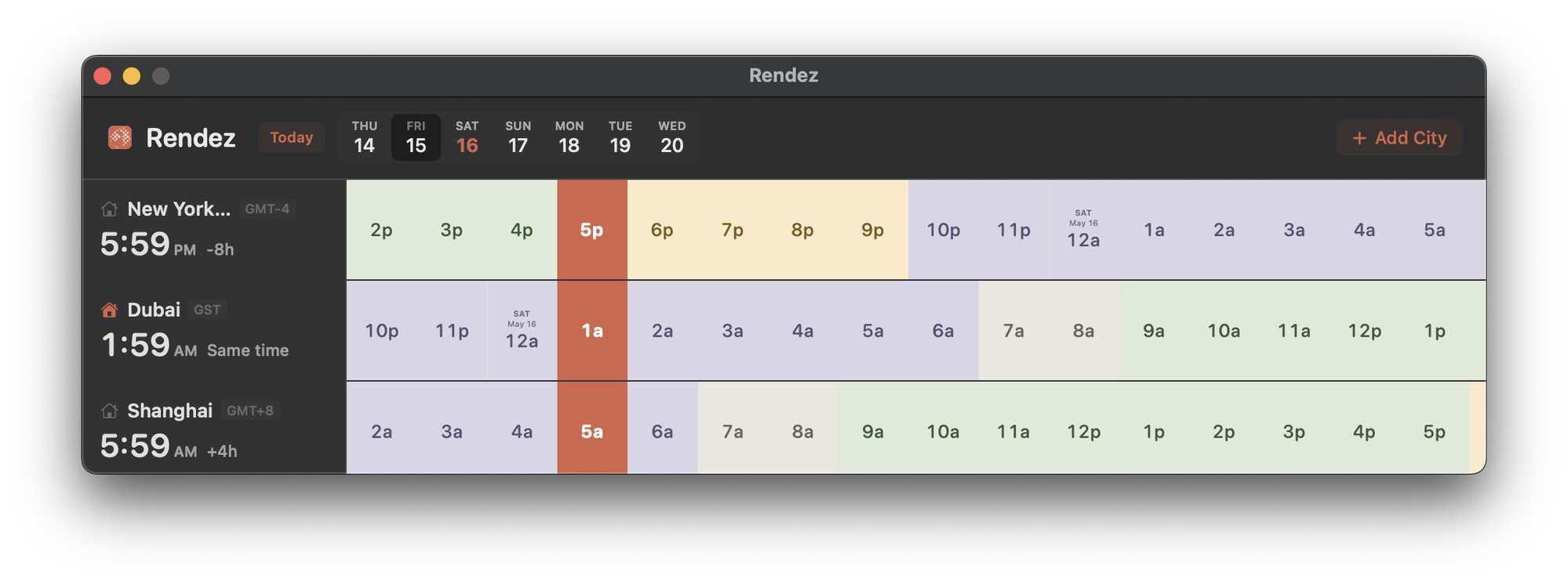
Rendez for Mac showing New York, Dubai, and Shanghai across a horizontal timeline
San Francisco
London
Paris
Tokyo
Features

Built for people who work
across time

Horizontal timeline

See hours laid out side by side for every city. Instantly spot overlapping working hours without mental gymnastics.

Lives in your widgets

Always a swipe away. Rendez sits in your widgets on Mac and iPhone — ready whenever you need it.

Day & night at a glance

Color-coded hour blocks show daytime, evening, and night. Immediately see who's awake and who's asleep.

Built for the Mac

More than a glance.

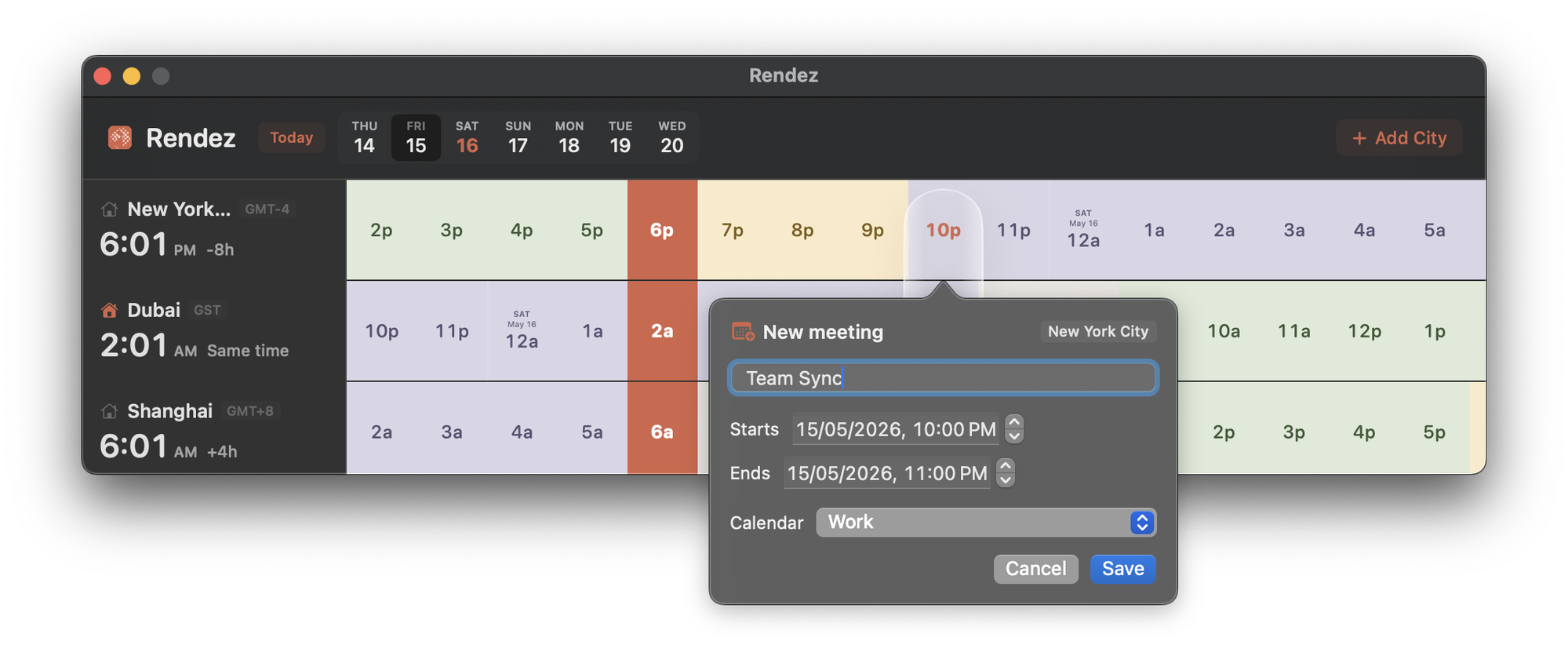
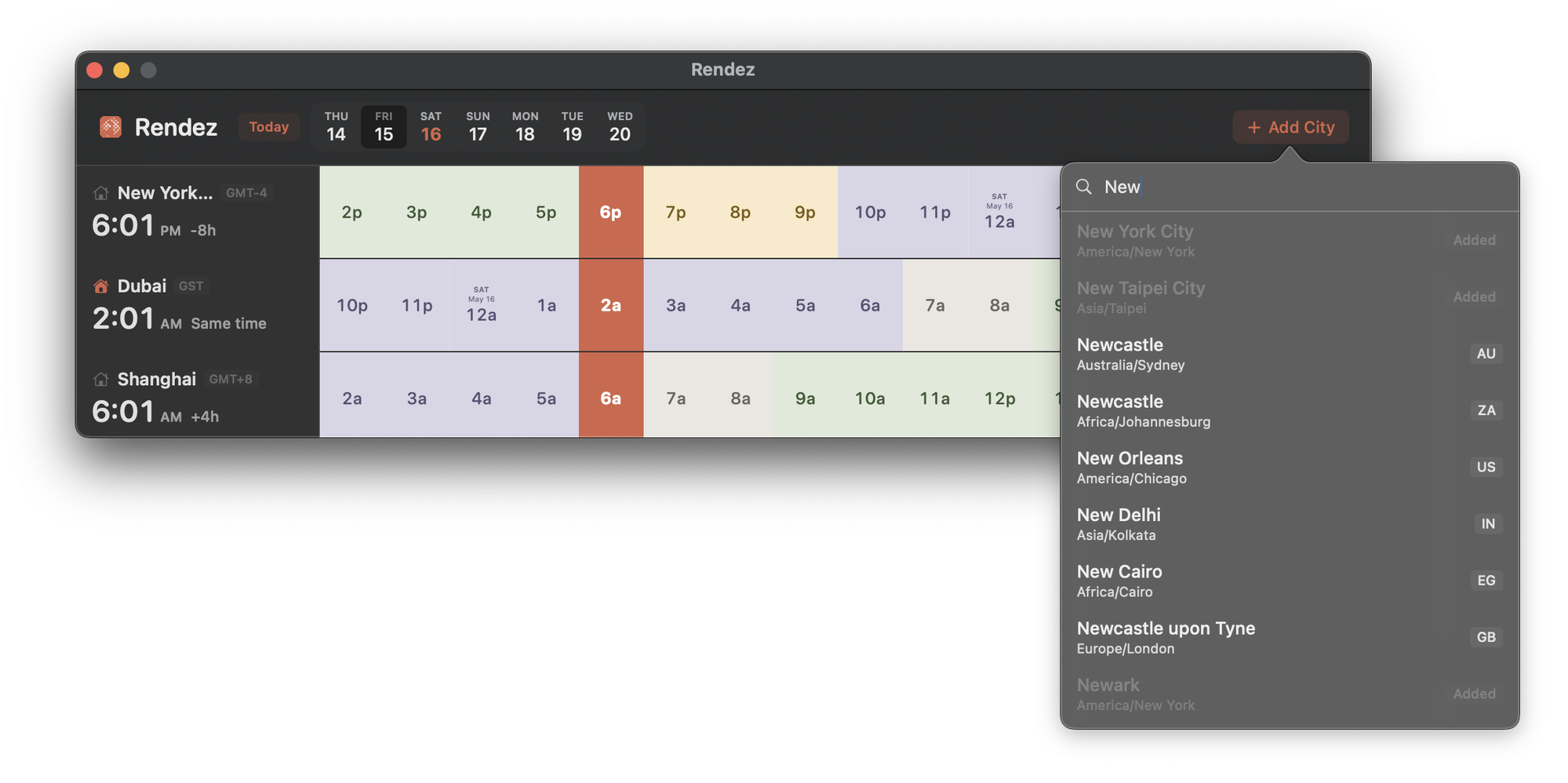
Schedule a meeting, add a new city — without ever leaving the timeline.

Rendez for Mac with a New Meeting modal open over the timeline
Rendez for Mac with the city search popover open
Also in your pocket

The same world, on iPhone.

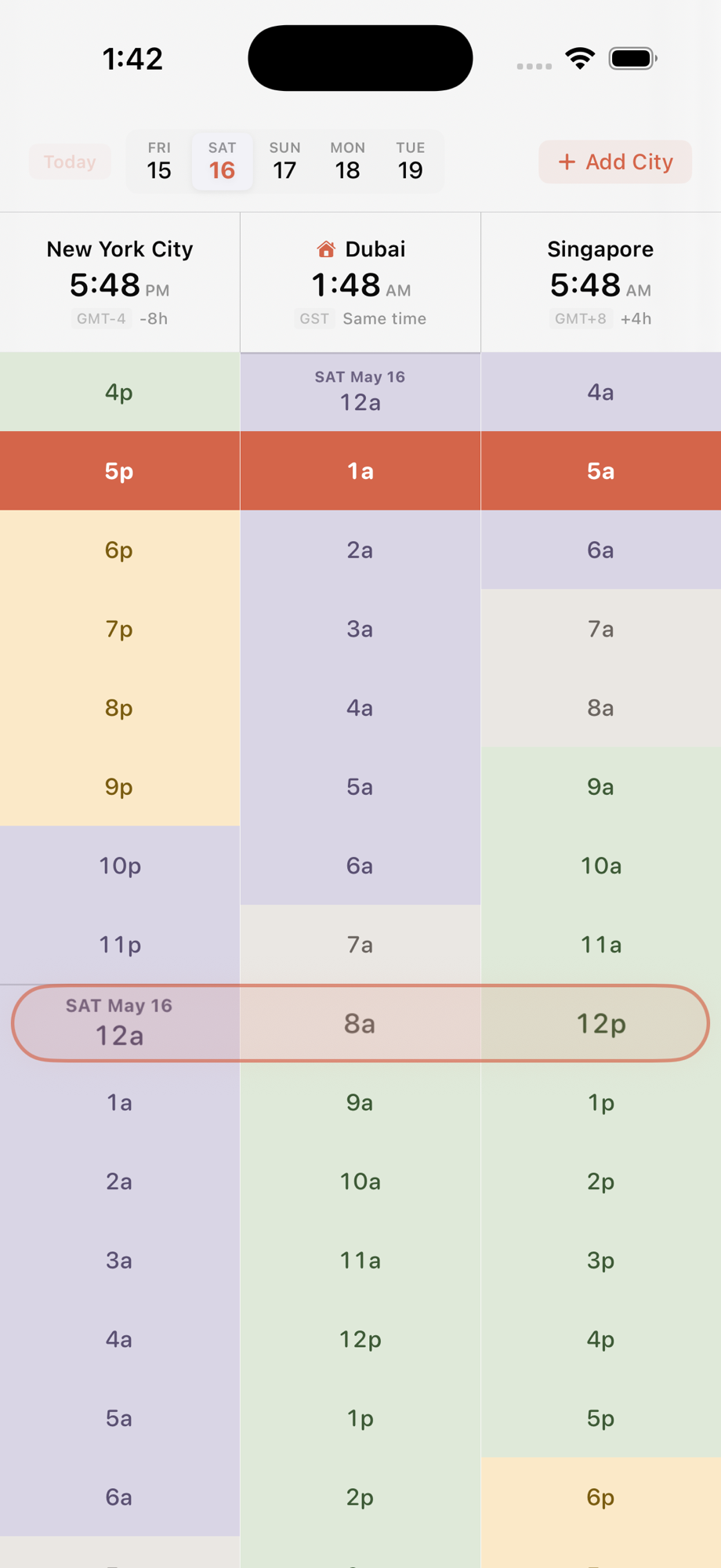
Same timeline, same colors. Add a city on your Mac, glance at it from your pocket.

Rendez on iPhone showing the timeline for New York, Dubai, and Singapore
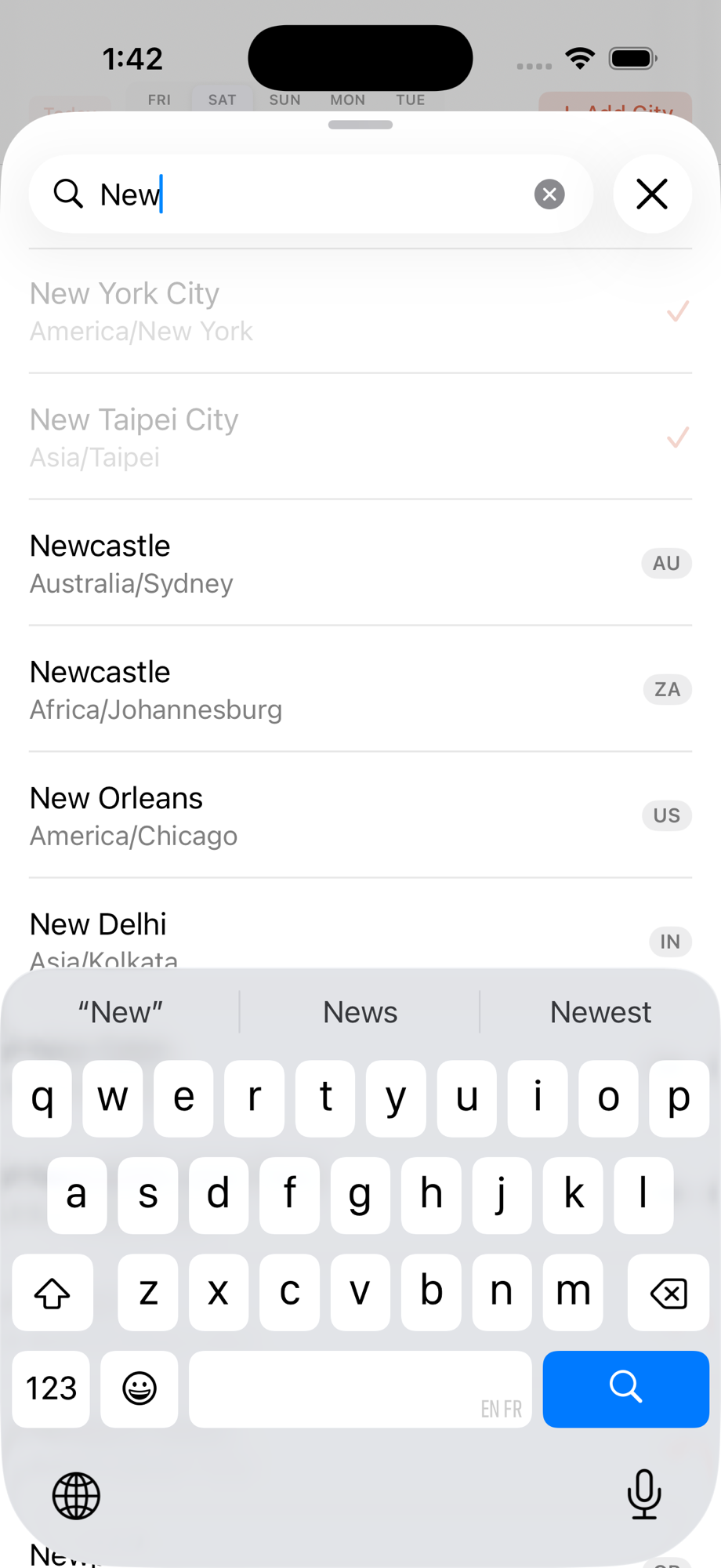
Rendez on iPhone — adding a new city
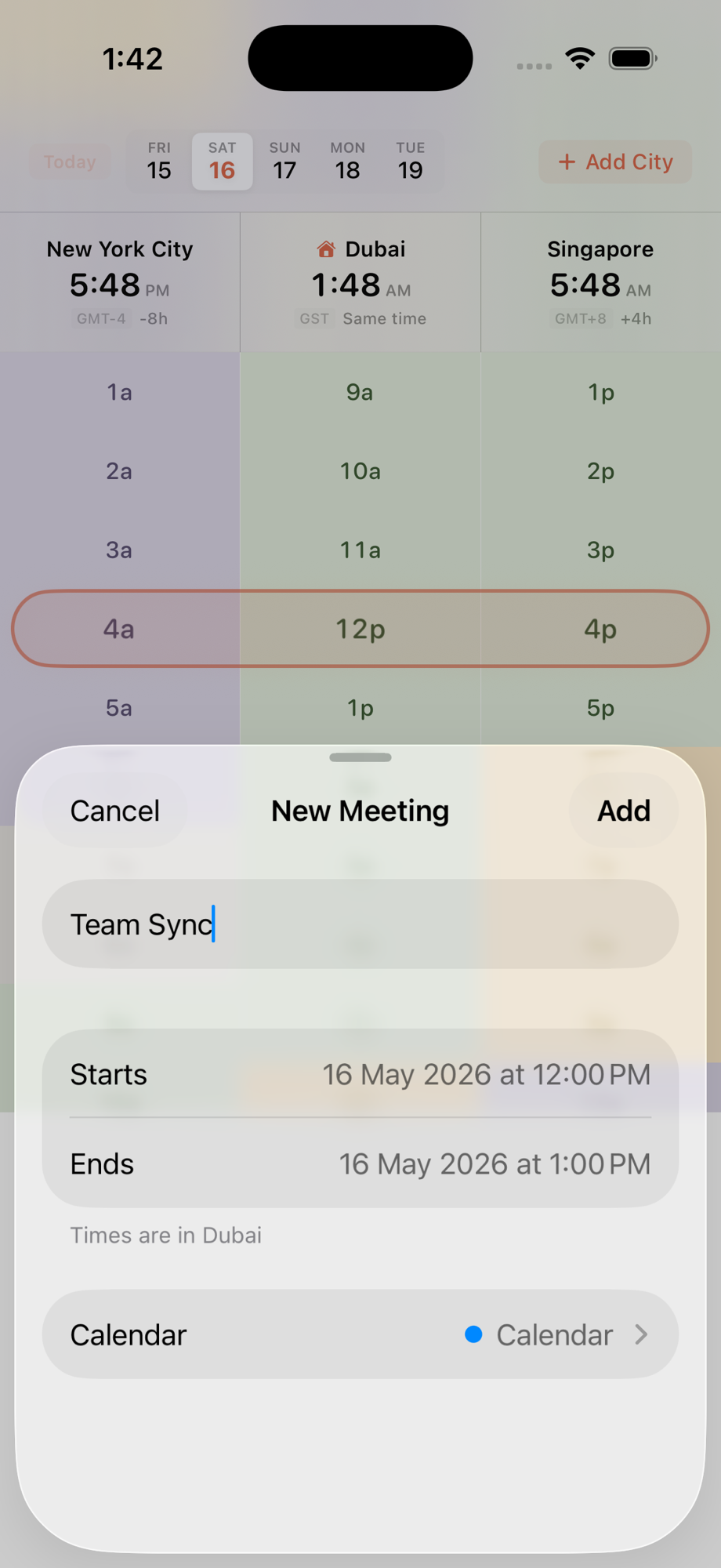
Rendez on iPhone — scheduling a meeting across timezones
Rendez

Time zones without the math.

Free on Mac and iPhone. Set up your cities in under a minute.

Download on the App Store